
Thank you for being a part of ONA25! We are thrilled you will be joining us as a speaker and want to provide you with resources to help you feel as prepared as possible.
- Jump to: Preparing your session
- Jump to: Logistical Information
- Jump to: Promoting your session

- Jump to: ONA25 Session Format Guide
- Jump to: Presentation Templates
- Jump to: Send session resources to share with attendees
ONA25 Session Format Guide
Purpose of the format
Best Practices + Case Studies share experience-based insights on successes and failures, best practices and other pragmatic knowledge. 2 presenters max
Tips
- Walk people step-by-step through the process, leaving plenty of time for questions.
- Have a tip sheet or summary slide that wraps up key concepts and be sure to include any needed links to apps, registration / login pages, etc.
- Be realistic about time. The biggest challenge with leading a training is determining what you can reasonably accomplish in an hour or an afternoon.
- Expect tech to fail. Have a backup in mind; many people take screenshots and have a slideshow prepared, or use their phones to create a mobile hotspot so they can at least demo the steps to the room.
- Be prepared to adapt to the needs of the room; if people are struggling with basic concepts, you may have to adjust your training plan to cover the basics.
Purpose of the format
Skill-building interactive sessions offer participants practical skills to apply to their organizations via collaborative, in-the-room learning. 3 facilitators max
Tips
- If people are working in small groups, ask each group to choose a moderator who will keep time and ensure the group remains focused on the topic at hand.
- During the course of the workshop, you’ll guide the group through an exercise or activity that allows people a chance to work through the problem and consider a few ideas that they can explore further when they get back to their work after the conference. The most important thing is that participants understand the overall concept and how to approach it when they hit stumbling blocks in the future.
- Do a dry run ahead of time – does the instruction actually take the time allotted?
- You may need to carve out a bit of time at the beginning for a more traditional presentation format to illustrate the main concept. For instance, if you’re leading a design thinking workshop, you’ll probably need to take a moment to share key terms and a slide or two of a design thinking model to help people visualize the task at hand. The goal is to be efficient so they can get to work on their own problem, in their own context.
- If you’re working with groups, one way to get the group to select a useful moderator is for the group to agree on one member that has a relevant problem to solve; that person becomes default project manager for the conversation.
- For a workshop, you’ll probably need to arrive 20-30 minutes early for your session, as workshops typically take a bit longer to set up than most other formats.
Purpose of the format
Masterclasses are solo talks and fireside chats on topics of interest delivered by experts and leaders in the online news space and beyond. 2 presenters max
Tips
- This format usually requires presenting for 20-25 minutes to get your main point across.
- After that, make a call for questions in the room. It’s a good idea to have a few prompts or early leading questions to get the conversation rolling.
- Research has indicated that adult attention span for a lecture format is roughly 20 minutes. Feel free to share your thoughts and ideas for 15-20 minutes.
- In the Masterclass format, attendees should have ample opportunity to ask you anything, as long as it relates to the topic at hand, so dedicate the balance of time to this process.
- It’s tempting in any presentation – and particularly in this format – to spend a lot of time introducing how you arrived at your conclusions. In our experience, it’s better just to jump right into your conclusions at the outset and then provide a concise, substantive talk.
- The purpose of the variation above is to keep your points clear and concise, and then give people a chance to digest what they’ve heard. By workshopping questions, you can also cut back on people hoarding the mic for irrelevant issues. This is a unique format to most people, so explain the process at the outset if you choose this option.
Purpose of the format
Panels are Larger conversations featuring several topical experts on complex topics or challenges. 4-5 presenters max, including any moderator
Tips
- Panels need a strong moderator to keep to time and pose challenging questions.
- Moderators often work with each panelist in advance and ask them for one point they really want to get across, but they should also feel free to ask panelists to elaborate on an interesting point, or throw a few curveball questions as long as they relate.
- Moderators need to give clear instructions for questions or discussion at the outset to the attendees. E.g., Raise your hand for mic runners, or queue at a central mic?
- Panel conversations should quickly get to the discussion at hand. You’ll need to take a few minutes to introduce everyone and establish rapport, but try to keep this brief.
- Moderators should set a snappy pace as panels have a tendency to drag on, and make sure each panelist is contributing and is staying on target.
- Try to keep the conversation to half or at most two-thirds of the allotted time. Remember, it’s likely there are other experts in attendance, and giving them a chance to bounce ideas or thoughts off of the panelists is part of providing a positive experience.
- It’s highly recommended to get the panelists together for an informal conversation ahead of the session just to connect, establish rapport, and see where natural connections arise.
- Not every panelist needs to answer every question. That said, moderators need to pay careful attention and make sure each individual is receiving equal space.
- If during your preparation there’s a natural split, feel free to divide the discussion into two or even three parts, soliciting questions in between each. This will keep the audience’s energy up, and allow the moderator a chance to reflect on how the conversation is going and whether any adjustments are needed.
- Getting the audience involved earlier, rather than later, helps keep attention. Even a simple poll at the start asking for a show of hands keeps people engaged and alert; soliciting comments or ideas from the room periodically works even better.
Purpose of the format
Deep-Dive Workshops are intensive, interactive experiences focused on a longer format of learning for attendees. Some have RSVP and application processes. All are produced in collaboration with ONA staff. If you have questions about your deep-dive workshop, please contact brian@journalists.org.
Presentation Deck Templates
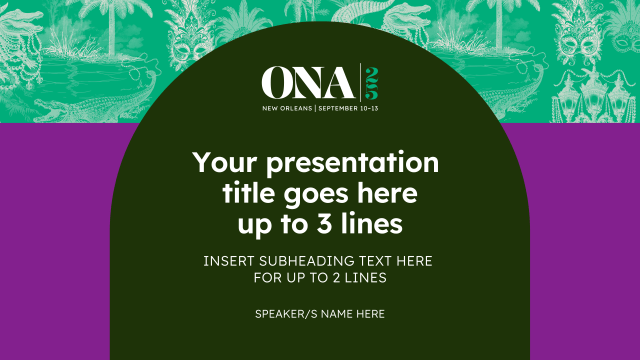
Canva, as the ONA25 Design Partner developed numerous ONA25-branded templates for speaker presentation and promotional needs. To use these templates, use your existing Canva account or sign up for a free three-month Canva Pro account using promo code ONA25CANVA.
The ONA25 speaker presentation deck template can be fully customized using the elements provided within the Canva platform. This presentation template and the social templates below are not required, but we hope all of these options are a helpful resource as you put your materials together and tell your social networks about your participation in ONA25!
All materials will be presented from your own device, and you can choose to present your deck from within Canva on the day of your presentation or download it in a variety of formats. Formats include PowerPoint (which can also be uploaded directly to Google Slides if you would like), mp4, pdfs, and more. (You are also able to download the templates to personalize outside of Canva.) Email Diana Abeleven, Canva’s Journalism and Media Lead, at diana.abeleven@canva.com with questions about anything related to the templates or using Canva.
Go directly to the presentation deck template by clicking directly on the example page below:
Share Session Resources With Attendees
If you intend to have a presentation deck, you can upload a copy of that and any other resources that should be shared with attendees through the speaker information portal now. Attendees will be able to see what you’ve uploaded during your presentation — and can take notes directly on those files during the conference for their personal reference!
Questions? Email brian@journalists.org

Speaker Session Room Design
ONA staff have collaborated with session leads and chosen room sets to support the design of individual sessions. For your visual reference, ONA25 session rooms will primarily be set up in one of two ways:
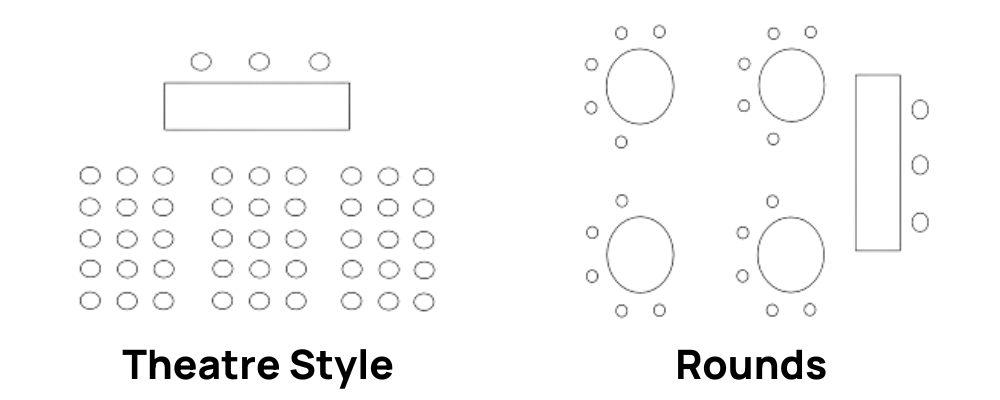
- Theatre Style: rows of seats
- Rounds: tables set up with chairs, ready for collaborative conversation
Speakers will generally present from the front of these rooms, which range in capacity from about 50 to 1,500 attendees, standing behind lecterns or seated at tables, sometimes raised on podiums.
All session rooms will come equipped with:
- Conference wifi
- Power outlets
- Mics for each presenter
- Amp and speakers
- Soundboard
- Chairs for each presenter
Most session rooms will also include:
- Head table
- Screen
- Projector
- HDMI ports
- Lectern
Speakers are responsible for providing their own laptop or other device if wanting to project slides or other presentation materials and are encouraged to bring their own HDMI adapter or cable in case the AV staff does not immediately have the correct corresponding cable available. If there are multiple presentation decks being shown in one session, we recommend having them all available on one device to avoid switching devices mid-session.

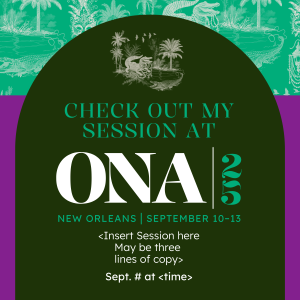
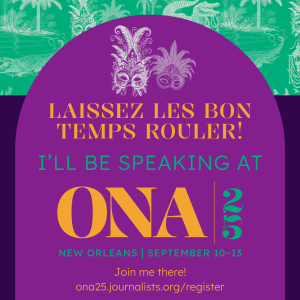
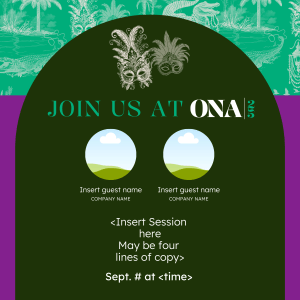
Canva, as the ONA25 Design Partner developed several ONA25-branded templates for speaker presentation and promotional needs. To use these templates, use your existing Canva account or sign up for a free three-month Canva Pro account using promo code ONA25CANVA.
The templates can be fully customized using the elements provided within the Canva platform. Think of the templates as the starting point, and feel empowered to change the text and pictures to your liking. Your completed project can be downloaded as an image, gif, or video, or directly uploaded and scheduled to the platform of your choice.
Email Diana Abeleven, Canva’s Senior Manager, Global Strategic Partnerships | Newsrooms & Media, at diana.abeleven@canva.com with questions about anything related to the templates or using Canva.
Click directly on the example picture to go to the Canva template. And remember, whether you choose to use these templates or not, use #ONA25 on all social platforms to join the conversation!